
Table of Contents
- Introduction: How Ape.Store’s Fee-Sharing Model Works
- Understanding Uniswap V3 Architecture
- Setting Up Your V3 Launch on Ape.Store
- Step-by-Step: Creating a V3 Launch
- Fee Mechanics: How Your 50% Is Calculated
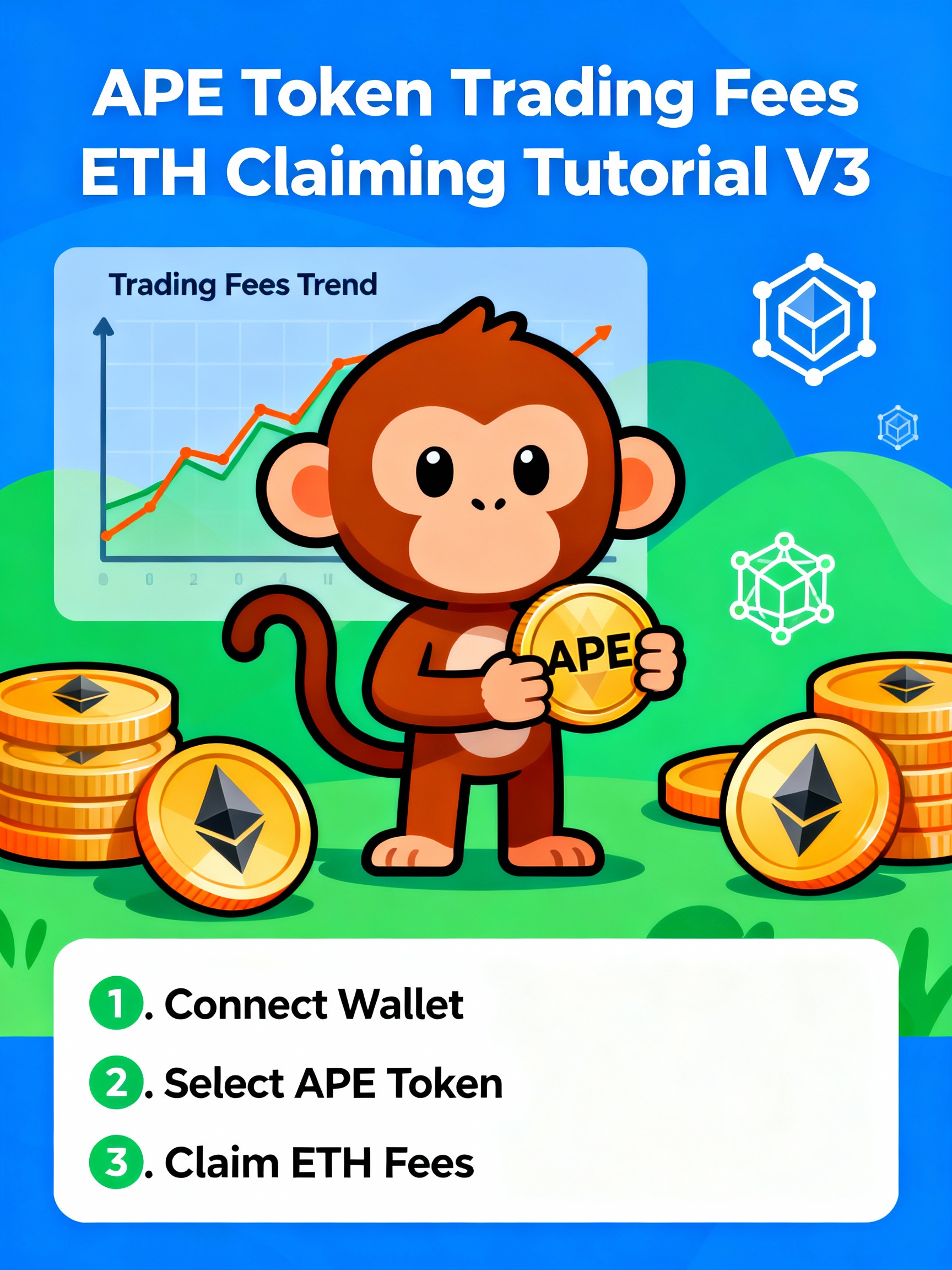
- Claiming Your Trading Fees
- Tracking Your Fee Revenue
- Advanced: Optimizing Fee Capture
- Tax Considerations for Creator Fees
- Troubleshooting Common Issues
- Frequently Asked Questions (FAQ)
- Conclusion: Building Sustainable Revenue
Introduction: How Ape.Store’s Fee-Sharing Model Works
The Traditional Model (Pump.fun):
You launch a token, pre-mine 5%, and hope to dump at peak. Maximum one-time revenue.
The Ape.Store V3 Model:
You launch a token, receive 0% pre-mine, but earn 50% of ALL trading fees indefinitely.
Example: If your token trades $10M monthly, the platform collects 0.3% in fees ($30,000). You receive 50% = $15,000/month in ETH revenue—indefinitely.
Over 12 months: $180,000 in ETH
Over 3 years: $540,000 in ETH
No dump required. No abandonment needed. Just ongoing revenue for maintaining your project.
This guide walks you through:
- How to launch on Ape.Store V3
- How fee calculations work
- How to claim your fees
- How to optimize your fee revenue
- Tax and accounting considerations
Understanding Uniswap V3 Architecture
What Is Uniswap V3?
Uniswap V3 is an advanced automated market maker (AMM) with concentrated liquidity:
V2 (Traditional): Liquidity spreads across entire price range ($0.01 to $1,000,000)
V3 (Concentrated): Liquidity concentrated in specific price band (e.g., $0.05 to $0.15)
Benefit: Higher capital efficiency—same capital provides more depth in active price range
Result: Liquidity providers earn 54% higher returns than V2
Fee Tiers in Uniswap V3
Uniswap V3 offers multiple fee tiers per pair:
| Fee Tier | Typical Use | Capital Efficiency |
|---|---|---|
| 0.01% | Stablecoin pairs (USDC-USDT) | Highest |
| 0.05% | Stable pairings (USDC-DAI) | High |
| 0.30% | Standard pairs (ETH-USDC) | Medium |
| 1.00% | Volatile pairs (emerging tokens) | Lower |
For Ape.Store meme coin launches: Typically 0.30% or 1.00% depending on project volatility
Fee Distribution in V3
When traders swap on Uniswap V3:
- 0.30% fee collected (for 0.3% tier pools)
- 50% goes to liquidity providers (automatic, earned by holding LP tokens)
- 50% goes to protocol/creator (subject to “fee switch” mechanism)
For Ape.Store: The 50% designated for protocol/creator goes to the token creator
Contrast: Traditional Uniswap (v3/v4) governance debates whether protocol should capture fees. Ape.Store gives 100% of creator-designated share directly to token creator
Setting Up Your V3 Launch on Ape.Store
Prerequisites
Before launching V3 on Ape.Store, you need:
- Token contract deployed on Base
- ERC-20 standard token
- Sufficient balance (e.g., 1M tokens to start)
- Base network RPC endpoint
- Initial liquidity capital
- ETH on Base (for liquidity pairing)
- Amount depends on desired initial price
- Minimum: $1,000-$5,000 recommended
- Wallet connected to Ape.Store
- MetaMask, WalletConnect, or other Base-compatible wallet
- Admin/creator authority for token contract
- Project metadata
- Project name and description
- Logo and social media links
- Website (optional but recommended)
Key Differences: V3 vs Bonding Curve Launch
| Aspect | Bonding Curve | V3 Direct Launch |
|---|---|---|
| Time to trading | Slower (wait for graduation) | Instant |
| Initial price discovery | Algorithmic (curve formula) | LP-set (you choose initial ratio) |
| Price stability | Smooth exponential growth | Can be volatile immediately |
| Capital requirement | None (curve funds itself) | Required (for initial liquidity) |
| Fee capture | Yes (same 50/50) | Yes (same 50/50) |
| Creator flexibility | Limited (curve parameters fixed) | High (can adjust LP positions) |
When to choose V3: If you want maximum control, instant launch, and are comfortable managing liquidity actively.
When to choose bonding curve: If you want passive price discovery and prefer mathematical certainty.
Step-by-Step: Creating a V3 Launch
Step 1: Prepare Your Token Contract
Ensure your ERC-20 token is properly deployed:
text// Minimal ERC-20 token example
pragma solidity ^0.8.0;
import "@openzeppelin/contracts/token/ERC20/ERC20.sol";

contract MyToken is ERC20 {
    constructor() ERC20("My Token", "MYTOKEN") {
        _mint(msg.sender, 1000000 * 10 ** 18); // 1M tokens
    }
}
On Base: Deploy using Remix (remix.ethereum.org) or Foundry
Gas cost: ~$5-$20 depending on Base network congestion
Verify contract: Use BaseScan for transparency
Step 2: Connect to Ape.Store
- Visit Ape.Store launch interface
- Click “Create V3 Launch”
- Connect wallet (MetaMask/WalletConnect)
- Approve Ape.Store contract to spend your tokens
Approval transaction:
textApproval for: [Ape.Store V3 Contract Address]
Amount: [Your full token supply]
Token: [Your token contract address]
Step 3: Set Initial Liquidity Parameters
Input required:
| Parameter | What It Is | Example |
|---|---|---|
| Token amount | How many tokens in LP | 500,000 MYTOKEN |
| ETH amount | How much ETH paired with tokens | 10 ETH |
| Price range (min) | Lowest price for liquidity | $0.00001 |
| Price range (max) | Highest price for liquidity | $0.01 |
| Fee tier | 0.01%, 0.05%, 0.30%, or 1.00% | 0.30% |
How to calculate initial price:
Initial price = ETH amount / Token amount
Example: 10 ETH / 500,000 tokens = $0.00002 per token (assuming ETH = $100K)
Choose price range strategically:
- Wide range: More passive (capital spread out, less earning potential)
- Narrow range: More active (capital concentrated, higher earning but requires rebalancing)
For launch: Recommend 1.00% fee tier (you’ll earn on volatile trades)
Step 4: Review Fee Structure
Ape.Store V3 launch shows you:
- Swap fee rate: 0.3% to 1.0% (your choice)
- LP share: 50% of fees (automatic to LPs)
- Creator share: 50% of fees (goes to you, the creator)
Example for 0.30% tier:
- $1,000 in daily volume
- $3 in daily fees (0.3% of volume)
- $1.50 to liquidity providers
- $1.50 to you (creator)
- Monthly creator revenue: ~$45
Step 5: Deploy Liquidity and Launch
- Approve liquidity: Authorize Ape.Store to deposit tokens and ETH
- Confirm transaction: Pay gas fees (typically $10-$50 on Base)
- Launch: Pool goes live immediately
Pool address: You receive Uniswap V3 pool contract address for tracking
LP NFT: You receive Uniswap V3 LP position as NFT (ERC-721) representing your liquidity
Fee Mechanics: How Your 50% Is Calculated
The Fee Flow
Every trade on your V3 pool generates fees:
textUser swaps 1,000 USDC for MYTOKEN
↓
Swap executes on Uniswap V3 pool
↓
Fee calculated: 1,000 USDC × 0.30% = $3.00 fee
↓
Fee split:
  - 50% to liquidity providers = $1.50 (distributed to LP NFT holders)
  - 50% to creator = $1.50 (accumulated in creator fee contract)
↓
Creator can claim accumulated fees at any time
Claiming Your Accumulated Fees
Fees accumulate in the Uniswap V3 protocol’s fee contract. To claim:
Method 1: Ape.Store Dashboard (Easiest)
- Go to your project dashboard on Ape.Store
- Click “Claim Fees”
- Approve transaction (no gas cost, included in bundle)
- Fees instantly appear in your wallet as ETH or USDC (depending on pool assets)
Method 2: Direct Uniswap V3 Interface
- Visit app.uniswap.org
- Navigate to “Positions”
- Find your LP position (listed under your creator wallet)
- Click “Collect” to harvest accumulated fees
Fee collection timing:
- Real-time accumulation: Fees accumulate as trades occur
- Claim timing: Can claim anytime (no minimum wait)
- Gas cost: ~$15-$40 per claim transaction
- Frequency: Claim weekly or monthly (optimize gas cost vs convenience)
Understanding Fee Variations
Your creator fee revenue varies by:
1. Trading volume (primary driver)
- High volume = high fees
- $1M volume/day at 0.3% = $300 daily fees = $150/day to you
- $100k volume/day at 0.3% = $30 daily fees = $15/day to you
2. Fee tier chosen
- 0.01% tier: Lower fees (suitable for stables)
- 1.00% tier: Higher fees (suitable for volatile tokens)
- Choose 1.00% for emerging tokens = 3-10x higher fees
3. Liquidity depth
- More concentrated liquidity = higher swap slippage = higher fees
- Less concentrated liquidity = lower slippage = lower fees
4. Market conditions
- Bull markets: Increased trading volume = higher fees
- Bear markets: Decreased trading volume = lower fees
- Volatility spikes: Arbitrage traders generate fee volume
Claiming Your Trading Fees
The Claim Process: Detailed Walkthrough
Via Ape.Store Dashboard:
- Login to Ape.Store
- Connect wallet that created the token
- Navigate to “My Projects”
- Select Your V3 Project
- Find your token launch
- Click “Dashboard”
- Check Claimable Fees
- “Earned Fees” section shows:
- Total accumulated (all-time)
- Claimable now (ready to withdraw)
- Claimed (already withdrawn)
- “Earned Fees” section shows:
- Review Details
- Shows ETH/USDC balance
- Shows fees from last 24h, 7d, 30d
- Shows corresponding USD value
- Claim Fees
- Click “Claim Creator Fees”
- Review transaction details
- Approve in wallet
- Confirm
- Transaction processes on Base
- Fees appear in wallet within seconds
Batch Claiming vs Individual Claims
Individual claim (after each significant fee accumulation):
- Pro: Get money immediately
- Con: Pay gas fee each time ($15-40)
Batch claim (weekly or monthly):
- Pro: Single gas fee for all accumulated fees
- Con: Wait to collect all at once
Optimal strategy:
- Claim when accumulated fees > 3x gas cost
- Example: If gas is $30 and you’ve accumulated $100+ in fees, claim
- At $100+: Claim to keep gas cost <30%
Fee Distribution Assets
Fees claimed are in pair assets (not automatically converted):
Example for MYTOKEN/ETH pool:
- Fees earned in ETH and MYTOKEN (mixed)
- NOT automatically converted to single asset
- You can trade MYTOKEN received for ETH if desired
Note: Check whether Ape.Store auto-converts to ETH or leaves mixed. Most platforms leave mixed and let you manage conversion.
Tracking Your Fee Revenue
Dune Analytics for V3 Monitoring
Create a Dune dashboard to track your creator fees:
sql-- Daily Creator Fees
SELECT
  DATE_TRUNC('day', block_time) as day,
  pool_address,
  SUM(fee_amount_usd) as creator_fees_daily,
  RUNNING_SUM(fee_amount_usd) OVER (ORDER BY DATE_TRUNC('day', block_time)) as cumulative_fees
FROM uniswap_v3_creator_fees
WHERE creator_address = '0x[YOUR_ADDRESS]'
  AND pool_address = '0x[YOUR_POOL_ADDRESS]'
GROUP BY DATE_TRUNC('day', block_time), pool_address
ORDER BY day DESC
Metrics to track:
- Daily fees earned
- Weekly fees earned
- Monthly fees earned
- Average daily volume
- Correlation between volume and fees
Key Performance Indicators (KPIs)
| Metric | What It Shows |
|---|---|
| Daily average fees | Sustainability of revenue |
| Monthly fees | Can you plan on $X/month? |
| Fee trend (up/down) | Is your project growing or declining? |
| Fee per dollar volume | Efficiency of your fee tier |
| Volatility of fees | Consistency vs spiky revenue |
Target benchmarks for healthy V3 token:
- Daily fees: $10+ (sustainable side income)
- Weekly fees: $70+ (meaningful weekly income)
- Monthly fees: $300+ (viable part-time income)
- Sustained over 90+ days: Strong project retention
Advanced: Optimizing Fee Capture
Strategy 1: Dynamic Price Range Adjustment
Uniswap V3’s concentrated liquidity allows active management:
Initial launch: Wide price range (e.g., $0.00001 to $0.01)
- Captures all trading
- Less capital efficiency
- Consistent but lower fees per dollar capital
As project stabilizes: Narrow price range around current price (e.g., $0.0001 to $0.0003)
- Captures more fees per dollar capital
- Requires weekly rebalancing
- 2-3x higher fee earn potential
Implementation:
- Monitor price for 1-2 weeks
- Identify consolidation range
- Burn old LP position
- Deploy new LP with narrow range
- Monitor weekly, rebalance as price moves
Expected outcome: 2-3x increase in weekly fee income with same capital
Strategy 2: Tiered Liquidity Approach
Deploy capital across multiple price ranges simultaneously:
textNarrow range ($0.0001-$0.0003): 60% of capital → 60% of fees
Medium range ($0.00001-$0.001): 40% of capital → 40% of fees
Benefit: Capture fees even if price moves outside narrow range
Trade-off: More complex management, multiple LP positions to track
Strategy 3: Fee Tier Adjustment
If your token is very stable:
- Launch at 1.00% fee tier
- Monitor volume and average trade size
- If average trade <$1k, consider lowering to 0.30%
- Lower fees attract more traders
- More volume × lower fees > less volume × high fees
Formula to test:
Volume × Fee% = Total fees earned
$10M volume × 1.00% = $100k fees
$30M volume × 0.30% = $90k fees
Lower fee tier attracts more volume, sometimes earning more total fees
Strategy 4: Liquidity Mining Incentives
Combine V3 fee earning with additional incentives:
- Offer tokens to liquidity providers (temporary)
- Goal: Increase liquidity depth
- Result: Better pricing, higher volume, higher fees
- Timeline: 30-90 day campaigns
Example:
- Normal pool: $50k liquidity, $5k daily volume, $15/day to you
- With incentives: $500k liquidity, $50k daily volume, $150/day to you
- Cost: $2k/month in additional token rewards
- Benefit: $150-$15 = $135/day additional revenue ($4,050/month)
ROI: $4,050/month – $2k/month cost = $2,050/month profit
Tax Considerations for Creator Fees
Treating Creator Fees as Income
Creator fees are taxable income in most jurisdictions:
Classification: Trading income (if you’re classified as trader) or ordinary income (if classified as investor)
Reporting requirement: Every claimed fee is taxable in the year claimed
Calculating Cost Basis
When you claim fees in ETH, your cost basis is the fair market value of ETH at the moment you claim:
Example:
textClaim $10,000 worth of ETH when ETH = $100,000/ETH
Cost basis: $10,000
You received: 0.1 ETH
Later sell that 0.1 ETH when ETH = $150,000/ETH
Sale value: $15,000
Capital gain: $15,000 - $10,000 = $5,000 taxable gain
Tax Planning Strategies
Strategy 1: Monthly Claiming and Selling
- Claim fees monthly
- Immediately convert to USD stablecoin
- Report each claim as ordinary income
- Avoids capital gains from ETH price appreciation
- Simpler accounting
Strategy 2: Hold and Appreciate
- Claim fees in ETH
- Hold for long-term capital gains (>1 year)
- Sell when price appreciates
- More favorable tax treatment (long-term capital gains rate)
- Requires capital to hold
Strategy 3: Offset Against Project Costs
Deductible business expenses against your creator income:
- Development costs
- Marketing and promotion
- Gas fees and transaction costs
- Professional services (audits, legal)
Example:
textCreator income: $50,000/year (from fees)
Less: Development costs: $15,000
Less: Marketing costs: $10,000
Less: Gas fees: $2,000
Taxable income: $23,000
Record Keeping Requirements
Maintain detailed records:
- Date claimed: Exact date of fee claim transaction
- Amount received: ETH and USDC amounts (in USD equivalent)
- Price reference: Spot price of ETH/USDC on claim date
- Transaction hash: Blockchain proof
- Corresponding expenses: Any project expenses to offset
Tool: Use CoinTracker or Koinly (crypto accounting software) to auto-track transactions
Troubleshooting Common Issues
Issue 1: Fees Not Accumulating
Symptom: You see trades happening but no fee accumulation
Causes:
- Trading volume too low to accumulate meaningful fees
- Price outside your LP range (trades happening in different pool)
- Fee contract not properly initialized
Solution:
- Check your LP position is active (on Uniswap UI)
- Verify liquidity is in correct price range
- Check that fees are being tracked (view on BaseScan)
Issue 2: “Insufficient Balance” When Claiming
Symptom: Try to claim fees but transaction fails with insufficient balance
Causes:
- Wallet has insufficient ETH for gas fees
- LP position has been burned/removed
Solution:
- Add ETH to wallet (~$5-20 for gas)
- Verify LP position still exists on Uniswap
- Try claiming via Ape.Store dashboard (may bundle transactions)
Issue 3: Fees Unexpectedly Dropped
Symptom: High fees for 1-2 weeks, then suddenly minimal fees
Causes:
- Price moved outside your LP range
- Market downturn reduced trading volume
- Liquidity providers deposited new liquidity (diluting your position)
Solution:
- Reposition liquidity to current price range
- Monitor volume trends (market sentiment)
- Increase fee tier (if applicable) to attract volume
Issue 4: Cannot Connect Wallet to Ape.Store
Symptom: Wallet connection fails or times out
Causes:
- Wrong network selected (not Base)
- RPC endpoint experiencing issues
- Browser cache corrupted
Solution:
- Verify MetaMask is on Base chain (select from chain list)
- Clear browser cache (Ctrl+Shift+Delete)
- Try different wallet (WalletConnect, Coinbase Wallet)
- Check network status on BaseScan
Frequently Asked Questions (FAQ)
Q: What if my token’s price crashes? Do I still earn fees?
A: Yes. Creator fees are based on volume, not price performance.
If your token trades $1M at $0.01, you earn same fees as $1M at $0.001.
However: Crashes typically reduce volume (less trading interest), so indirectly lower fees.
Q: Can I adjust my fee tier after launch?
A: No, not directly on same pool. But you can:
- Burn old LP position
- Create new pool with different fee tier
- Migrate liquidity to new pool
Migration is somewhat complex and costs gas, so choose carefully at launch.
Q: What happens if I don’t manage my LP position?
A: Fees still accumulate, but you’re missing optimizations:
- If price moves outside range, you earn zero fees on new trades
- Your liquidity becomes “out of range”
- You’ll lag compared to active managers
Solution: Rebalance every 1-4 weeks or use automated rebalancing tools.
Q: Can I create multiple V3 pools for the same token?
A: Yes, you can have multiple pools with different pairs:
- MYTOKEN/ETH (primary)
- MYTOKEN/USDC (secondary)
- MYTOKEN/USDT (alternative)
Each pool generates separate creator fees. You claim all independently.
Q: How much ETH do I need for initial liquidity?
A: Depends on your desired initial price and depth:
Minimum: $1,000-$2,000 ETH worth
Recommended: $5,000-$20,000 (deep liquidity attracts traders)
Optimal: $50,000+ (institutional-grade depth)
Higher initial liquidity attracts more traders, generates more fees faster.
Q: What’s the minimum daily volume to justify V3 launch?
A: Break-even roughly:
- $5,000/day volume at 0.3% fee = $15/day creator fee
- At $50/transaction gas cost, you break even every 3 days
Practical minimum: $20,000+/day volume (to make meaningful revenue)
Q: Are V3 fees better than bonding curve fees?
A: Different, not necessarily better:
V3 advantages:
- Instant launch (no graduation wait)
- Active control (manage LP positions)
- Familiar to Uniswap users
Bonding curve advantages:
- Passive (no rebalancing required)
- Mathematical transparency
- Gradual filtering (only projects reaching 69k graduate)
Recommendation: Use V3 if you’re actively managing, bonding curve if you prefer passive income.
Q: Can I withdraw my LP liquidity anytime?
A: Yes, but with considerations:
- Burn LP position: Withdraw your liquidity
- Collect remaining fees: Harvest accumulated fees
- Token returns: You get back pro-rata tokens and ETH
However: Withdrawing removes liquidity from market (reduces trading, reduces future fees).
Best practice: Keep LP position running as long as project viable.
Q: Do I pay taxes on fees immediately or when I claim?
A: When you claim (per most jurisdictions):
- Accumulation: No tax event
- Claiming: Taxable as ordinary income
- Later selling: Potential capital gains tax
Claim strategically to manage tax liability timing.
Conclusion: Building Sustainable Revenue
The Power of Fee-Sharing
Traditional token launches are designed around one event: the peak. You pre-mine, hype drives price up, you dump, then move on.
Ape.Store’s fee-sharing model inverts this: you’re incentivized to build sustainable ecosystems that generate ongoing revenue.
The math is clear:
- One-time extraction: Maybe $100k-$10M instant
- Ongoing fees: Maybe $1k-$10k/month indefinitely
- Over 3 years: $36k-$360k in sustainable revenue
Which is better depends on your values. But the runway is undeniably longer with fee-sharing.
Your Checklist for V3 Success
✅ Deploy ERC-20 token on Base
✅ Choose 1.00% fee tier (if volatile) or 0.30% (if stable)
✅ Set reasonable initial liquidity ($5k-$20k)
✅ Launch V3 pool through Ape.Store
✅ Monitor volume daily (via Dune or dashboard)
✅ Claim fees weekly or monthly
✅ Rebalance LP position quarterly
✅ Plan taxes monthly (track cost basis)
✅ Build genuine community (volume comes from interest)
✅ Report revenue honestly (legal compliance)
The Future of Creator Revenue
By 2025-2026, expect V3 and similar fee-sharing models to become standard. The question won’t be “does your platform share fees?” but “how much and how transparently?”
Ape.Store’s 50/50 split is both generous to creators and sustainable for the platform. It’s a model that could define the next generation of token launch infrastructure.
Your job now: launch, build community, and let the fees accumulate.
Appendix: Technical Resources
Uniswap V3 Documentation:
- Official docs: uniswap.org/docs
- Fee mechanics deep dive
- Concentrated liquidity guide
Base Documentation:
- Network info: docs.base.org
- Gas fee calculator
- RPC endpoints
Tax Resources:
- CoinTracker: track and report transactions
- Koinly: crypto tax software
- Consult tax professional for jurisdiction-specific advice
Monitoring Tools:
- Dune Analytics: create custom dashboards
- BaseScan: verify transactions and balances
- Uniswap Analytics: pool performance metrics